
Choose a scenario
Start with a template library, AI-assisted template editing, or a custom campaign designed around a department or business workflow.
Run phishing attack simulations, automate follow-up training, and identify the riskiest employees and departments faster!
PhishingBox helps security teams test employees with believable emails, landing pages, and training moments while keeping the workflow measurable and controlled. Use campaigns to understand who clicked, who submitted data, who reported the email, and which departments need reinforcement.
Measurable metrics provide concrete data on how often employees fall for scams, helping you justify the ROI of phishing testing and cybersecurity awareness training. The same reporting can also support insurance, compliance, and regulatory expectations.
Direct Delivery helps teams run more reliable phishing simulations by controlling how simulation emails reach employee inboxes, reducing friction around allowlisting and delivery setup.
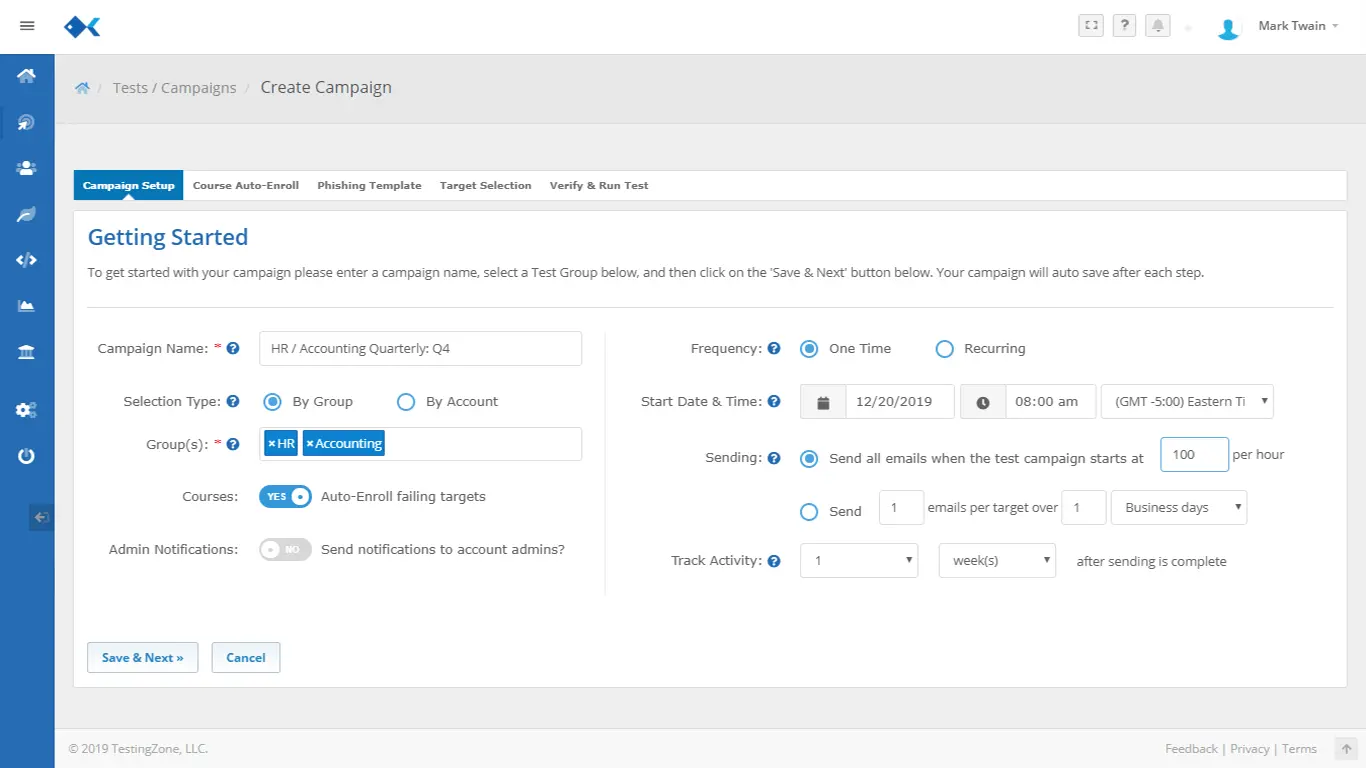
PhishingBox connects the full employee phishing simulation path so teams can test risky behavior, teach in the moment, and measure improvement without stitching together separate tools.
Start with a template library, AI-assisted template editing, or a custom campaign designed around a department or business workflow.
Deliver phishing emails to employees, departments, or synced groups through scheduled campaigns and Direct Delivery workflows.
Track opens, clicks, data submissions, reported emails, repeat behavior, and campaign-level outcomes with measurable metrics.
Assign training moments, courses, or follow-up emails automatically, then feed the results into reporting and Human Risk Management.
Use PhishingBox as a phishing attack simulation tool for employee phishing testing: plan realistic campaigns, deliver simulations reliably, trigger training automatically, and turn results into measurable human risk insights.
Build phishing attack simulations around real business workflows, choose the right employees and departments, schedule sends, and use Direct Delivery to improve inbox placement.
Route employees who click, submit data, or need reinforcement into landing pages, training moments, training emails, or LMS assignments without adding manual follow-up work.
Turn employee phishing testing outcomes into metrics for ROI, compliance, insurance, and Human Risk Management so teams can prioritize the riskiest users first.
Build phishing emails, landing pages, and training pages from one workflow. Start with the template library, customize the full employee experience, or use AI-assisted editing to adapt scenarios for different departments and goals.
Use the editor to control the phishing email, landing page, and training page so each phishing attack simulation is realistic, measurable, and ready to deploy.
View Template Editor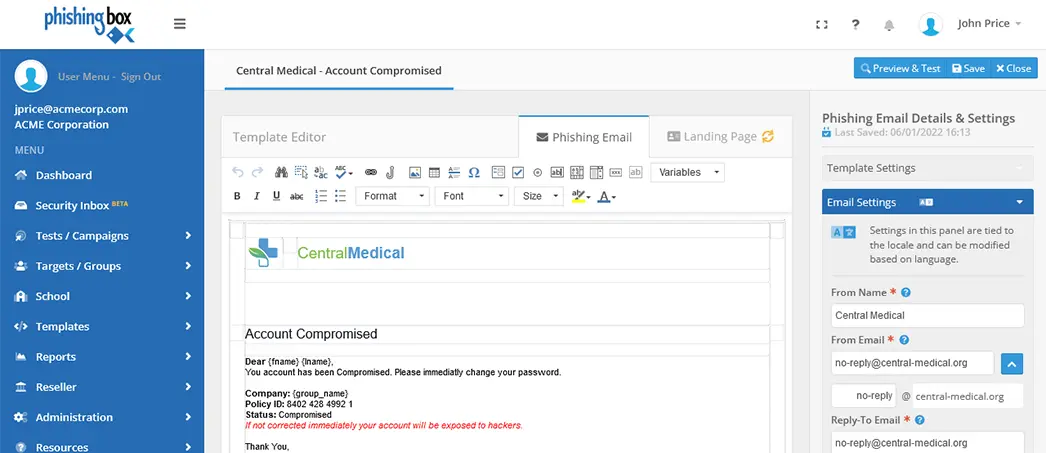
Browse realistic scenarios built for common employee workflows, then customize the message, landing page, and training moment to fit your campaign.
Explore Template Library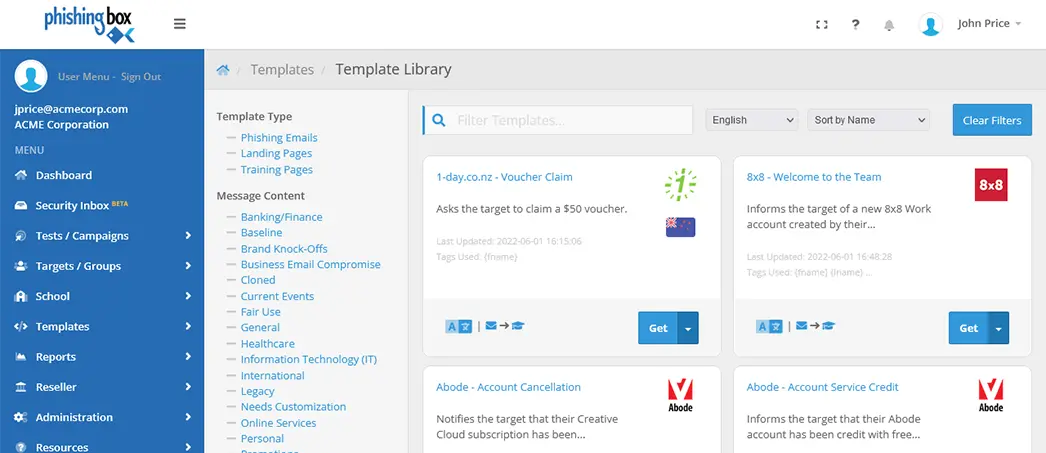
Use AI assistance to draft phishing email hooks, landing page copy, and training moment language for employee phishing simulations by department, role, or campaign goal.
Explore AI FeaturesRealistic wording for a phishing attack simulation tool, tuned for urgency without overdoing it.
Copy guides employees through the simulated risk moment and captures measurable metrics.
Follow-up language explains the red flags and reinforces safer habits after the test.
Adapt the scenario by department, audience, and campaign objective before launch.
Phishing simulation is useful beyond a single annual test. Use it to support security operations, employee pentesting, compliance evidence, and managed awareness programs.
Run recurring employee phishing testing and use the results to prioritize coaching, policy reminders, and technical controls.
Document simulation activity, training follow-up, and improvement trends for insurance and regulatory expectations.
Package phishing attack simulations, reporting, and training workflows into repeatable client-facing services.
Measure how employees respond to controlled social engineering scenarios before real attackers get the chance.
Phishing simulation is one of the strongest signals in a human risk program. Clicks, submissions, reports, repeat behavior, and training engagement can help reveal where risk is concentrated and where the next coaching action should happen.
Connect phishing attack simulation data with Human Risk Management to compare employees, departments, and trends over time.
Explore Human Risk Management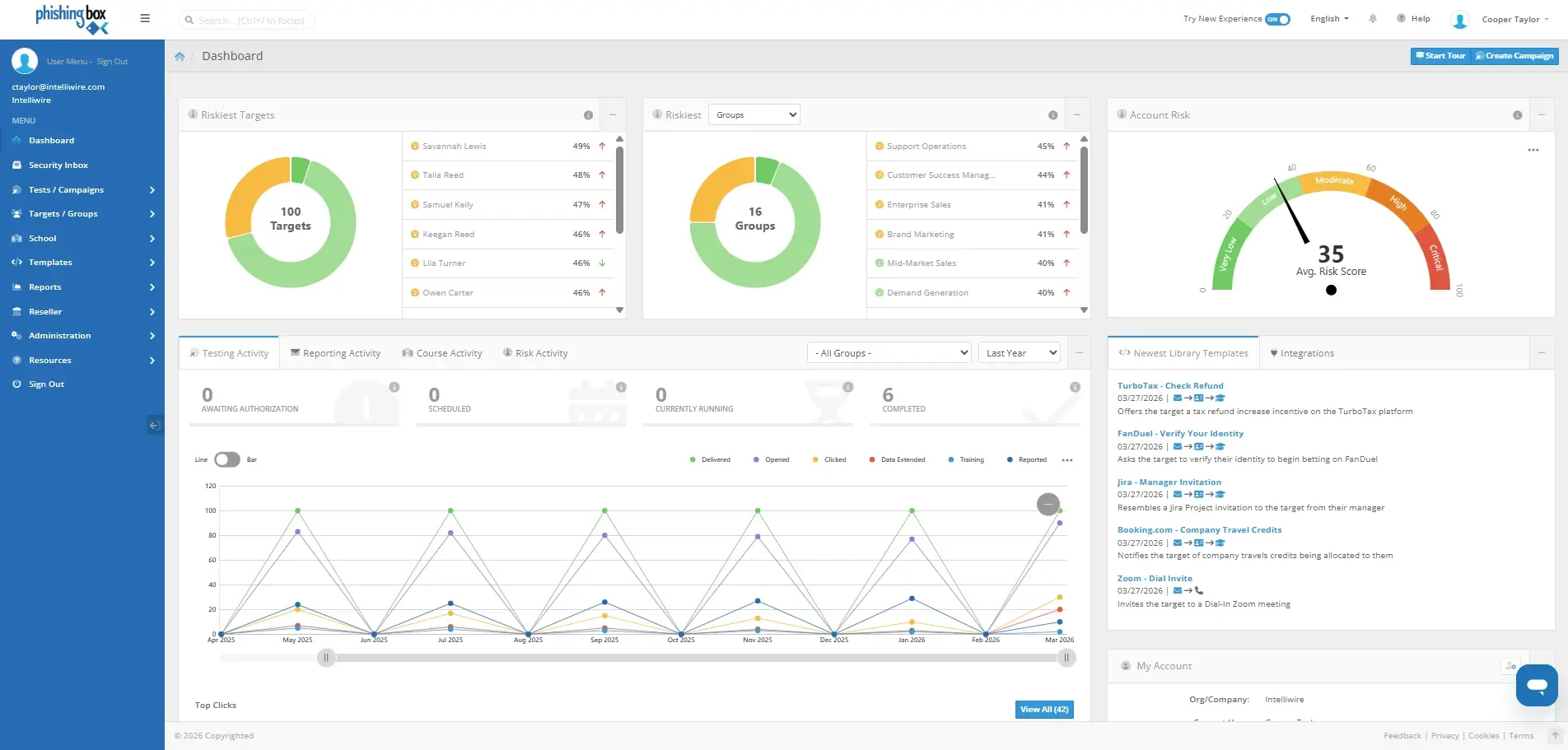
Preview campaign details, training automation, scheduling, and behavior tracking screens used across the PhishingBox simulator workflow.
Get a quick view of phishing attack simulations, employee phishing testing, AI templates, training automation, MSP workflows, and Human Risk Management.
A phishing simulator is a controlled phishing attack simulation tool used to test how employees respond to realistic phishing emails, landing pages, credential prompts, and follow-up training moments.
Yes. PhishingBox helps teams run employee phishing simulations by department, role, group, location, or custom audience while tracking clicks, submissions, reports, and training outcomes.
Campaigns can send employees to landing pages, training pages, microlearning, courses, or training emails after a risky action is recorded, helping teams move from testing into remediation automatically.
Yes. AI-assisted editing can help draft, adapt, and localize phishing templates so teams can create realistic scenarios for different departments, compliance needs, and campaign goals.
Yes. The platform supports partner and MSP use cases, including repeatable campaign workflows, client reporting, and managed phishing simulation services.
Phishing simulation behavior can feed Human Risk Management so teams can identify risky employees and departments faster, then focus training where it has the most impact.