
Reporting & Analytics
Track phishing campaign results, training progress, user behavior, and security awareness performance with dashboards, alerts, and exportable reports.
Looking for suspicious email reporting?
This page focuses on phishing simulation reporting, analytics, dashboards, PDF reports, and CSV exports. For inbox-based suspicious email reporting, explore the PhishingBox Email Reporting Tool.
Measure Security Awareness Performance
PhishingBox reporting helps administrators, security teams, and managed service providers understand how users respond to phishing simulations and training assignments. Monitor trends, identify risk, and communicate results with clear, actionable reports.
Campaign Results
Track phishing simulation performance, including email opens, link clicks, credential submissions, and other campaign activity.
Training Progress
Review course enrollments, completion status, and training outcomes to measure awareness program effectiveness.
User & Group Trends
Compare performance across users, groups, departments, or clients to identify areas that may need additional training.
Interactive Dashboards & Analytics
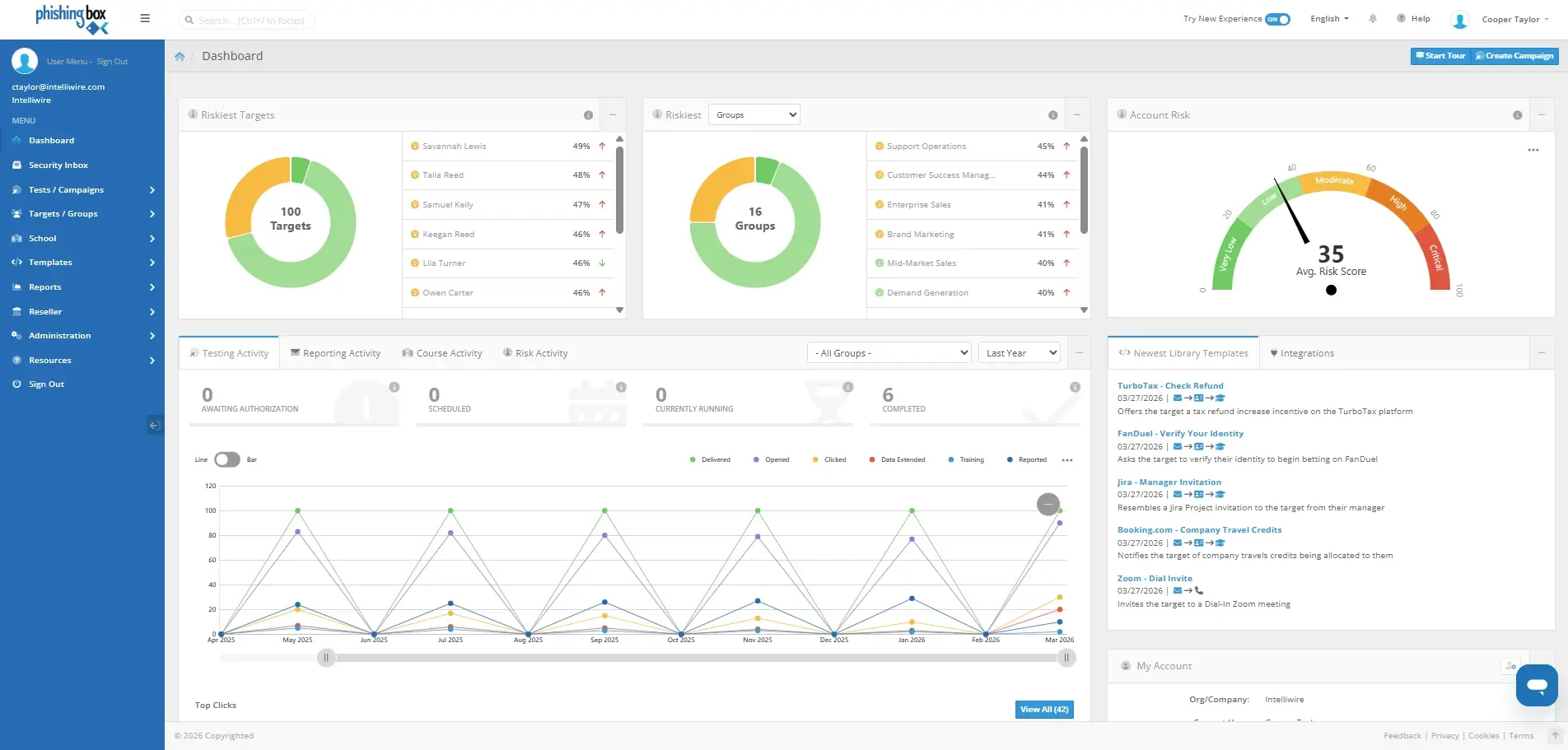
View campaign and training data in dashboards designed to help you quickly understand performance, risk, and progress. Filter results, analyze trends, and focus on the metrics that matter most to your organization or clients.
- Monitor phishing simulation results
- Review user and group performance
- Track training completion and outcomes
- Identify risk trends over time
Exportable PDF & CSV Reports
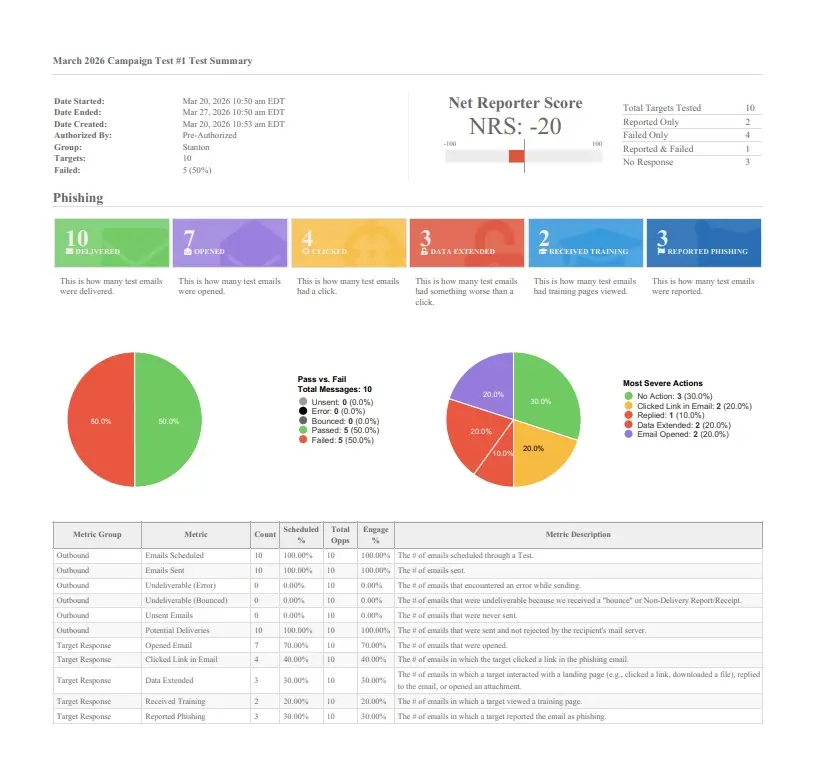
Generate reports that are easy to share with executives, managers, auditors, clients, or internal stakeholders. Export campaign and training data as polished PDF reports or CSV files for deeper analysis.
- Export reports as PDF or CSV
- Prepare summaries for leadership updates
- Share client-ready campaign reports
- Support compliance and audit documentation
Real-Time Campaign Alerts
Stay informed as campaign activity happens. Configure alerts and notifications so the right administrators, managers, or stakeholders receive timely updates based on campaign events and reporting needs.
- Receive campaign activity notifications
- Keep stakeholders informed
- Support faster follow-up and remediation

Custom Branded Reports
Maintain consistency with your organization’s or client’s brand standards. Add designated logos and colors to reports so phishing simulation and training results are presented in a professional, familiar format.
- Apply organization or client branding
- Create polished stakeholder reports
- Support MSP and multi-client reporting

Integrations, API & Webhooks
Connect reporting data with your existing workflows. Use API and webhook options to support established reporting cadences, internal dashboards, compliance processes, and client reporting needs.
Explore API Options
Reporting & Analytics vs. Email Reporting
PhishingBox includes tools for both analyzing phishing simulation performance and enabling users to report suspicious emails. These features serve different purposes.
| Feature | Purpose | Common Use |
|---|---|---|
| Reporting & Analytics | Analyze phishing simulations, training campaigns, user behavior, and awareness performance. | Campaign reports, dashboards, PDF exports, CSV exports, training progress, and executive summaries. |
| Email Reporting Tool | Allow users to report suspicious emails from their inbox. | User-reported phishing emails, suspicious message review, and inbox-based reporting workflows. |
Frequently Asked Questions
If any questions remain unanswered, feel free to contact us.