Employee Phishing Training for Cybersecurity Awareness Month
Seven employee phishing training ideas for Cybersecurity Awareness Month 2026, plus a practical four-week October campaign calendar.
Every October your users expect to hear from you about security. That attention window is the most valuable thing Cybersecurity Awareness Month gives an IT team, and most programs spend it on a poster and an all-staff email nobody finishes. This article lays out seven ways to run employee phishing training in October that change what people do in November, plus a four-week calendar one administrator can run alongside a day job.
Why October is worth the effort (and why one month is not)
The theme for Cybersecurity Awareness Month 2026, set by the National Cybersecurity Alliance and CISA, is "Don't Make It Easy for Them." It is a useful theme for a training program because it describes the real goal. You are not trying to turn users into analysts. You are trying to make the cheap attacks fail.
The cheap attacks are still working. Verizon's 2026 Data Breach Investigations Report found the human element present in 62 percent of breaches, up from 60 percent the year before. Phishing held steady at 16 percent of initial access, and the DBIR's authors note that click rates on mobile-centric lures (text and voice) run about 40 percent higher than on email. On the reporting side, the FBI's 2025 Internet Crime Report logged 191,561 phishing and spoofing complaints, more than any other crime type, inside a year that totaled just under $20.9 billion in reported losses.
By the numbersThe attacks October is meant to blunt are the ordinary ones
62%
of breaches involved the human element in the 2026 DBIR
191,561
phishing and spoofing complaints to the FBI in 2025, the top crime type
+40%
higher click rates on text and voice lures than on email
Sources: Verizon 2026 Data Breach Investigations Report; FBI IC3 2025 Internet Crime Report.
None of those numbers move because of one month of activity. What October can do is reset the baseline: start a reporting habit, get the security team's name in front of every employee, and produce a clean set of measurements you build on for the rest of the year. Treat it as a launch, not a finale.
Seven employee phishing training ideas for October
The list below is in the order you would run it. Each item works alone, but they compound.
1. Announce the month before the first lure lands
Tell everyone what is coming: that simulations will run, that they are not a trap, and that reporting a simulation counts as a win. A one-page note from IT or the CISO in the first two days of October does three things. It gives users a reason to pay attention. It removes the "gotcha" feeling that turns simulations into a morale problem. And it names the reporting path (the button, the address, or the person), which is the single most useful sentence in the whole note.
Pre-announcing does not ruin the test. Attackers do not warn people, but your goal in October is habit formation, not a surprise audit. Save the unannounced baseline for another quarter. If you want a low-stakes warm-up to include in the note, the free 10-question phishing IQ test gives people something to try before the first simulation arrives.
2. Run two simulations that look like this year's real lures
Two well-chosen simulations beat six generic ones. Pick lures that match what your users see in the fourth quarter: a suspicious sign-in alert (the pretext behind most credential theft and MFA-fatigue attacks) and an executive gift card request (the entry-level form of business email compromise, which the IC3 tied to just over $3 billion in 2025 losses). Space them two weeks apart so the first can be discussed before the second arrives.
Calibrate difficulty on purpose. NIST's Phish Scale rates a lure on two factors: how many cues in the message give it away, and how relevant the scenario is to the recipient. A late-September "your Workspace password expires today" lure sent to a Google shop is high relevance with few cues; that is a hard test. Start moderate in October, record the click rate, and turn the dial up in the new year.
3. Teach one repeatable check instead of forty red flags
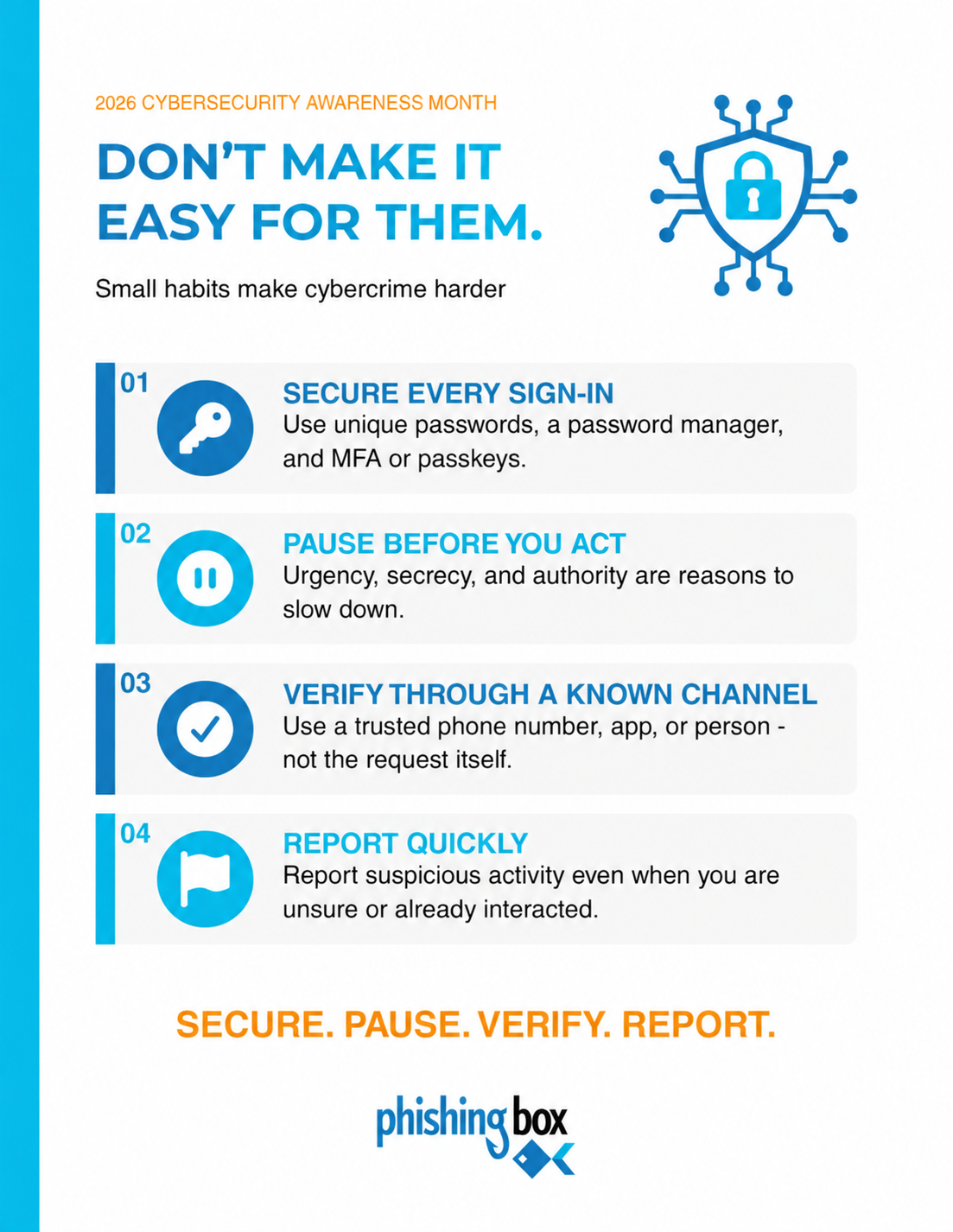
Red-flag lists do not survive contact with a busy inbox. What sticks is a short routine the user runs on any message that asks them to do something. The PhishingBox 2026 CAM toolkit poster puts it as four signals: who sent this and does it make sense for my role, is it pushing urgency or secrecy, what exactly is it asking me to do (click, call, scan, pay, share, approve), and where does the link or phone number actually go. Four questions, same order, every time, whether the message is email, text, QR code, chat, or a phone call.
The four-signal checkOne routine that works on email, text, QR code, chat, and phone
1Sender and context
Do I recognize who this is from? Does the request make sense for my role and this week?
2Pressure and emotion
Urgency, fear, curiosity, and secrecy are reasons to slow down, not speed up.
3The requested action
Click, call, scan, pay, share information, or hand over an MFA code. Each one is a decision point.
4The destination
Confirm the link, number, or account using a source you already trust, never the one in the message.
If any signal fails, stop and report. Reporting a message that turns out to be fine costs nothing.
Source: "Before You Act, Inspect These Four Signals" poster, 2026 Cybersecurity Awareness Month toolkit.
The second training email in the toolkit schedule (October 20) teaches this exact check, so users meet it twice: once on a poster, once in their inbox, the week before the second simulation tests it.
4. Make the report button the number you celebrate
Click rate is the number executives ask for. Report rate is the number that predicts whether a real attack gets contained. A user who clicks and then reports within two minutes has handed your team a head start. A user who quietly deletes the message has handed you nothing. Publish both numbers, but praise the second one.
In practice that means confirming the reporting path works before October 1 (test it yourself), acknowledging reports quickly even when they are false alarms, and thanking reporters by team rather than by name in your closeout note. The behavior you reward in October is the behavior you get in November.
5. Assign one short course with a hard due date
A single micro-course on social engineering, assigned on October 1 and due October 30, accomplishes more than a library of optional content. The due date matters more than the length. Fifteen minutes with a deadline gets completed; an hour of "recommended" training does not. Keep it to one course for the month, and make completion a manager's responsibility for their own team rather than something IT chases person by person.
6. Train beyond the inbox
If your October plan is email only, it is skipping the channel where clicks are highest. The DBIR's 40 percent figure for mobile-centric lures reflects what your users already know: it is harder to inspect a link on a phone, a text message carries no external-sender tag, and a QR code taped to a printer or a parking meter cannot be hovered. Add one SMS or QR simulation if your platform supports it, and frame the four-signal check as channel-agnostic in every communication. The toolkit poster says it plainly: phishing can arrive by email, text, QR code, collaboration message, or phone call.
7. Put the message where people wait
Posters work when they hang where people stand still: above the printer, next to the badge reader, on the breakroom fridge, in the elevator lobby. Use the same four words on every one of them and in every email: Secure. Pause. Verify. Report. Repetition across channels is what makes a phrase available at the moment someone is staring at a suspicious invoice. A clever new slogan each week is worse than one plain one they can recite.
A four-week October calendar one admin can run
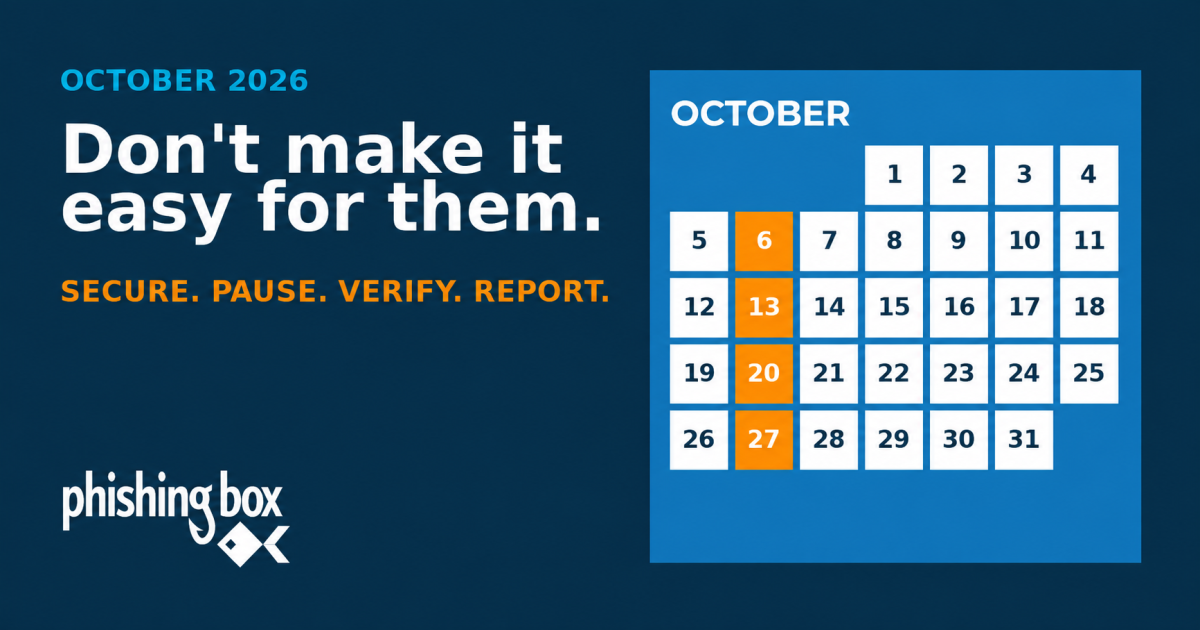
Below is a practical schedule from the PhishingBox 2026 Cybersecurity Awareness Month toolkit. Adapt the dates and activities to your team, tools, and communication rhythms; the goal is a predictable month of reinforcement that any organization can run.
October 2026 campaign calendarA predictable October rhythm for awareness and action
Date
What happens
By Sept 30
Plan the campaign: two training emails, two simulations, and one course enrollment due Oct 30.
Oct 1 to 2
Send a kickoff note to all staff. Confirm the reporting path. Hang the posters.
Oct 6
Training email: "Don't Make It Easy: Five Security Habits" introduces the month.
The toolkit is free and includes the guide with this schedule, two workplace posters (the four habits and the four signals), and an internal communication template for the kickoff note. If you run PhishingBox, the same schedule ships as a Quick Campaign blueprint that schedules the two training emails and two simulations for you; the guide recommends launching it by September 30 so the first Tuesday lands on time. If you use something else, copy the dates and build the equivalent. The cadence is the point, not the vendor.
The four habits your users need
Awareness content fails when it asks for too much. CISA's guidance for the month has rested on the same four behaviors for years: strong unique passwords with a manager, MFA, recognizing and reporting phishing, and keeping software updated. The toolkit poster compresses the user-facing version into four verbs that follow the order of an actual attack.
The last habit deserves emphasis in every message you send. Users hide mistakes because they expect punishment. A program that treats a late report as better than no report gets told about the real incident. One that shames clickers gets silence.
What to measure on October 30
Close the month with four numbers per department: course completion, simulation click rate, simulation report rate, and time to first report. Then decide what November looks like from those numbers rather than from the calendar.
Closeout scorecardFour numbers per department, and the November move each one suggests
Metric
What it tells you
November move
Course completion
Whether managers pushed it. Below 80% is a management problem, not a user problem.
Manager-level nudge; hold the due date.
Click rate
How convincing the lure was for that role. Compare only to lures of similar difficulty.
Role-specific lure for the highest teams.
Report rate
Whether the reporting habit took. This is the number that predicts containment.
Thank reporters publicly by team; fix friction in the report path.
Time to first report
Your realistic head start on a live campaign.
If over an hour, the report button is too hard to find.
Illustrative example thresholds; set your own baselines from the October results.
Two cautions. Do not rank departments publicly by click rate. It creates an incentive to hide clicks, and it punishes the teams (finance, HR, executive assistants) whose jobs consist of opening attachments from strangers. And treat repeat clickers as a coaching problem with a 90-day plan, not a disciplinary one. Most of them are not careless; they are busy, and the fix is usually a role-specific lure plus a short conversation with their manager.
Common mistakes that waste October
The failure modes look the same in a 50-person firm and a 5,000-person one.
Running the hardest lure first. A 40 percent click rate on an unfair test teaches users that the game is rigged and teaches the board nothing. Start moderate, measure, escalate.
Announcing consequences instead of support. "Employees who click will be required to..." guarantees under-reporting for the rest of the year.
Stopping on October 31. One month of activity followed by eleven months of silence is a calendar event, not a program. Book the November and January simulations before you close out October.
Measuring only clicks. If you cannot say what your report rate was, you cannot say whether October worked.
Rebranding the message every week. Four weeks of different slogans leaves nothing behind. One phrase, repeated.
Frequently asked questions
How often should employees get phishing training?
Monthly touches beat an annual course. A realistic cadence for a small team is one simulation a month, one short training email a month, and one course a quarter, with October as the launch point for the cycle. Most compliance frameworks and cyber insurance questionnaires ask for training at onboarding and at least annually, with evidence. A monthly program clears that bar easily and produces the evidence as a by-product.
Should you tell employees before a phishing simulation?
For an awareness-month campaign, yes. Announce that simulations will happen during the month without giving dates or lures. You keep the realism that matters (the specific email is still a surprise) while removing the resentment that makes people stop reporting. Run unannounced baselines at other times of year if you need a pure measurement.
What is a good phishing click rate?
There is no universal number, because lure difficulty and relevance change the result more than the audience does. Track your own trend on lures of similar Phish Scale difficulty, and pay at least as much attention to report rate. A department that clicks at 8 percent and reports at 60 percent is in better shape than one that clicks at 4 percent and reports at 5 percent.
Is Cybersecurity Awareness Month training enough for compliance?
It usually satisfies the annual training requirement if you assign a course with completion tracking. It does not, on its own, demonstrate the "ongoing" or "periodic" language many auditors and insurers now look for. Use October to produce the completion report, then keep simulations running so the next questionnaire has twelve months of evidence behind it.
Where PhishingBox fits
Phishing Simulations. The two October lures above (suspicious login, gift card BEC) ship as templates, alongside SMS, voice, and QR variants for the mobile channels where the DBIR says clicks run 40 percent higher. The 2026 CAM Blueprint schedules them as a Quick Campaign.
Security Awareness Training and the LMS. The [Micro] Social Engineering course in the blueprint is a short module with a due date and completion tracking, which is the evidence the compliance question above needs.
KillPhish AI. One-click reporting from the inbox, so the report rate in item 4 is a number you can measure, with AI-assisted triage to keep false alarms from burying the real one.
Security Inbox. Where reported messages land for review, which is what lets you acknowledge reports quickly during the month.
Human Risk Management. Scores users and departments so November's follow-up goes to the roles that need it instead of to everyone.
Over 4 million users worldwide train with PhishingBox. See. Score. Secure.
Learn how PhishingBox helps cyber security MSPs and channel partners deliver phishing simulation and security awareness training with flexible licensing, scalable management, and no long-term contracts.