
The Code You Didn’t Ask For: How Attackers Stopped Stealing Passwords and Started Asking Permission
Attackers now steal OAuth tokens instead of passwords. Device code phishing rose 15x in 2026 and defeats MFA and passkeys. Here’s how to stop it.
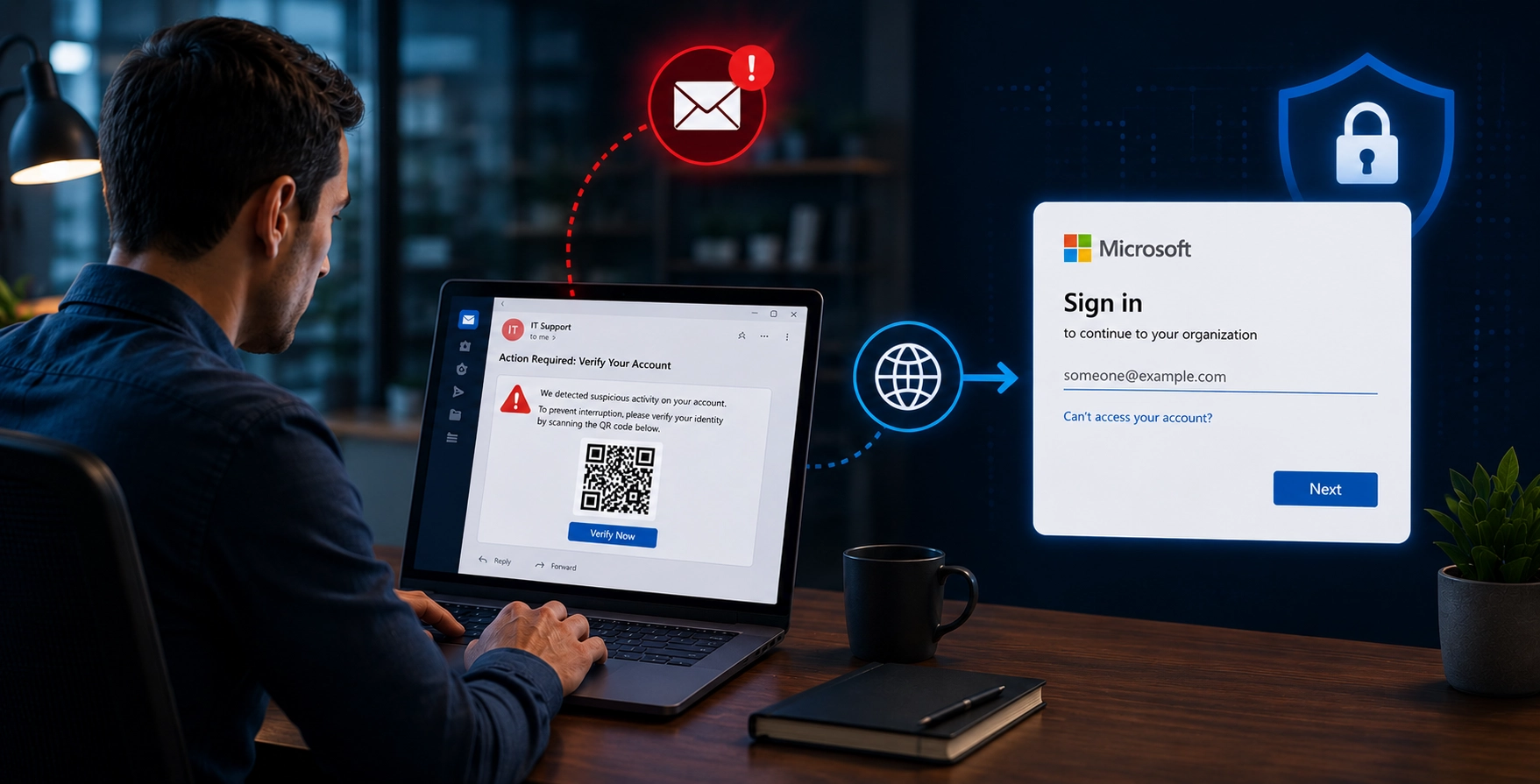
A phishing attack ran against hundreds of organizations this year in which no password was stolen, no multi-factor prompt was defeated, and no page was spoofed. The victims signed in to the real Microsoft, completed MFA correctly, and handed over their accounts anyway. Device code phishing attempts rose 15x in the first half of 2026. Here is exactly how it works, why every control you own misses it, and the three sentences your people need to know.
The question we stopped asking
For two decades, security has been organized around one question: is this person who they say they are?
We answered it well. Passwords became MFA. MFA became push approvals. Push approvals became passkeys and hardware keys. Each step closed real attack paths, and the industry deserves credit for it.
So attackers stopped showing up for that fight. They moved one step to the right, to a second question that almost nobody guards: what is this person willing to let an application do on their behalf?
That second question is the authorization layer. It is where consent screens live, and device codes, and OAuth scopes. It received a fraction of the investment authentication got, and close to none of the user training. In 2026 it became the main event.
The FBI issued a public service announcement in May naming a specific criminal kit. Microsoft’s own researchers published a six-phase teardown of a live campaign in April. CrowdStrike measured a 15x increase in device code phishing attempts across the first half of the year.
And the whole thing rests on one sentence worth being precise about: proving your identity and granting an application access are two different actions, and almost every control your organization owns protects only the first.
| The defense | Why it fails against OAuth authorization abuse | Status |
|---|---|---|
| "Hover the link and check the domain" | The destination genuinely is microsoft.com/devicelogin. There is nothing wrong to see. | Fails |
| MFA - any factor | Satisfied legitimately by the real user on the real page. The attack consumes the result of successful MFA. | Fails |
| Passkeys, FIDO keys, phishing-resistant auth | Structurally out of scope. The attack targets authorization, which happens after authentication succeeds. | Fails |
| Password reset | Refresh tokens survive it. The account is "secured" and the attacker is still inside. | Fails |
| Revoking sessions | Microsoft says revocation often only invalidates refresh tokens, leaving access tokens active for up to an hour. | Partial |
| Email gateway and URL reputation | Multi-hop chains through Vercel, Cloudflare Workers, AWS Lambda and Railway. Safe-sender allowlists abused. | Fails |
| Fake-login-page detection | There is no fake login page. | Fails |
| Block device code flow in Conditional Access | Effective, and both Microsoft and the FBI lead with it. But it is an admin control, breaks CLI tooling, and covers Microsoft only. | Helps |
Sources: Microsoft Defender Security Research, FBI/IC3, Sekoia TDR, and Trend Micro via The Hacker News.
What the victim actually sees
The best way to understand this attack is to walk it minute by minute, from the chair of the person it happens to. This reconstruction comes from Microsoft Defender Security Research, Sekoia’s threat detection team, and the FBI’s advisory.
Days -15 to -10: you are selected, and you never know
Before anything is sent, the attacker quietly checks that your mailbox is real. Microsoft observed operators querying an identity endpoint to confirm an address is live and active in the tenant, typically 10 to 15 days before the phishing attempt.
Nothing arrives. Nothing is logged anywhere you would look. This is not opportunistic spray. Somebody chose you, and then waited.
Minute 0: an entirely ordinary email
A voicemail notification. A document waiting in DocuSign or Adobe. A quarantine notice. A calendar invite. A password-expiry warning. A purchase order, a payroll adjustment, an RFP.
Sekoia collected 66 of these attachments in a single month, in PDF, HTML, XLSX, SVG and DOCX. Some were personalized down to the filename. Microsoft found generative AI writing the lures to match each victim’s actual role, using invoice themes for accounts payable and manufacturing workflows for plant staff.
The targeting is not random either. Sekoia found campaigns concentrated on employees in finance, HR, logistics and sales — the people who move money, and who answer quickly because answering quickly is their job.
Minute 1: a redirect chain nothing blocks
The link does not go straight anywhere. It travels through Vercel, Cloudflare Workers, AWS Lambda and Railway — high-reputation infrastructure no enterprise can safely blocklist. Microsoft’s assessment is plain: the phishing traffic “blends in with legitimate enterprise cloud traffic.”
One recent variant is worse than that. Campaigns documented on August 4 spoofed RingCentral voicemail alerts that landed in inboxes despite failing SPF, DKIM and DMARC — because the targets were real RingCentral customers who had added the vendor’s domain to a safe-sender list.
“The emails are not merely impersonating RingCentral; they are exploiting the trust configuration that exists because the target is an actual RingCentral customer.”
Read that again if you have ever published a customer list.
Minute 2: a short code appears, and the clock starts now
Here is the engineering detail that turned this from a niche technique into an industry.
A Microsoft device code is valid for 15 minutes. Early versions of this attack pasted a pre-generated code into the email, which meant the countdown began the moment the email was sent. Open your mail an hour later and the attack simply failed.
Modern kits generate the code at the instant you land on the page. The 15-minute timer now starts with you, not with the attacker. Microsoft’s verdict: “Dynamic Generation effectively solves this for the threat actor.”
Some kits go further and use the browser’s clipboard API to put the code straight onto your clipboard, so the only action left is to paste.
Minute 3: you go to the real Microsoft
microsoft.com/devicelogin.
Not a lookalike. Not a homograph with a Cyrillic character. Not a subdomain that almost matches. The actual Microsoft endpoint, with the actual certificate, showing the actual padlock.
Every instinct we have spent a decade training returns green. As Trend Micro described it:
“There is no fake login site to build or to get blocked, and there is nothing visually wrong for the user to notice, because the page they enter their password on really is Microsoft. The only unusual thing is a short code and a plausible reason to enter it.”
Microsoft’s page does carry a warning: “Do not enter codes from sources you don’t trust.” It fails for a reason worth sitting with. The victim does not believe they are trusting a stranger. They believe they are opening a document from Adobe.
Minute 4: MFA works perfectly
You sign in. You approve the push, or tap the key, or use the passkey. It all succeeds, because all of it is real.
And if you already had a live session, there is no authentication event at all. You pick your account from a dropdown and you are done.
Minute 5: the handoff
The attacker’s page has been polling in the background every three to five seconds. Now the poll returns success.
They hold an access token, good for 60 to 90 minutes, and a refresh token, good for 90 days and reissued fresh every time it is used. You are redirected to a plausible-looking document page and see nothing wrong at all.
The FBI’s language for this step is the clearest anyone has written: you were “unknowingly authorizing the attacker’s device to access their account.”
Minute 10 and beyond: they move in
Microsoft observed attackers registering a new device within ten minutes to mint a Primary Refresh Token — 90 days of silent single sign-on across the tenant’s applications, with no credential prompt and no MFA, ever again.
Then the quiet part. Some operators waited hours before touching anything, specifically to avoid tripping detection. Microsoft found them filtering the pool of compromised accounts for financial, executive and administrative personas, mapping the org chart through Graph, and then going hunting: “searching for high-value targets like wire transfer details, pending invoices, and executive correspondence.”
In one case documented this month, an attacker’s infrastructure was still authenticating against a victim’s mailbox more than two weeks after the campaign.
Six phases, and the victim sees nothing wrong at any of them
- Day -15 to -10Target validated
Attacker queries Microsoft to confirm the mailbox is live. Nothing is sent. Nobody sees it.
- Minute 0An ordinary email
Voicemail. DocuSign. Quarantine notice. Invoice. AI-written to match the victim's actual job.
- Minute 1-2A code appears
Generated the moment the victim lands, so the clock starts with them. Often copied to their clipboard.
- Minute 3-4The real Microsoft
The genuine device login page, genuine certificate. MFA completes correctly, because it is all real.
- Minute 5The handoff
The attacker's poll returns success. Access token and 90-day refresh token taken. Victim sees a redirect.
- Minute 10+Persistence
New device registered for a 90-day Primary Refresh Token. Then inbox rules, recon, and a hunt for wires.
No password was stolen. No MFA was defeated. Nothing was spoofed.The user proved who they were, correctly, and then authorized somebody else's device to act as them.
Reconstructed from Microsoft Defender Security Research, Sekoia TDR, and FBI/IC3.
Why your controls miss this
This is the uncomfortable part, so let us be specific rather than dramatic.
- “Hover the link and check the domain” fails. The destination genuinely is Microsoft. This is the single most-taught rule in security awareness training, and against this attack it returns a clean result.
- MFA fails, in every form. It is not bypassed or intercepted. It is satisfied, correctly, by the right person on the right page. The attack consumes the output of successful MFA rather than trying to beat it.
- Passkeys and hardware keys fail. Not because they are weak, but because they answer the wrong question. They prove identity. This attack targets what happens after identity is proven. With a live session, no authentication occurs at all.
- Password resets fail. Refresh tokens survive them. You reset the password, declare the account secured, and the attacker is still inside.
- Even revoking sessions is not enough. Straight from Microsoft: standard revocation “often only invalidates refresh tokens, leaving access tokens active for up to an hour,” and attackers “frequently exploit this window.” Microsoft’s own recommendation is to temporarily disable the account, accepting the business disruption, because half-containment is not containment.
- Email gateways and URL reputation fail. Multi-hop chains through infrastructure you cannot block, safe-sender allowlists abused through genuine vendor relationships, and anti-analysis code that disables developer tools and traps investigators in a debugger loop.
- Fake-login-page detection fails. There is no fake login page to detect.
The techniques are converging
Device code phishing is one member of a family, and the family is merging.
Consent phishing takes the other OAuth path. The link opens a genuine Microsoft authorize URL, the victim signs in to the real Microsoft, and then grants standing permissions to an application the attacker registered — mail, files, Teams, SharePoint, OneDrive, calendar. No password stolen, no MFA defeated, and the grant survives a password reset just as cleanly.
ConsentFix, first documented by researchers in late 2025 and now circulating in criminal toolkits, is the nastiest variant. It does not arrive by email at all. It arrives through Google Search, via compromised legitimate websites with strong domain reputation, which means email security never sees it. A fake Cloudflare challenge demands a business email address, filtering out researchers and low-value targets. Then it abuses Azure CLI — a Microsoft first-party application that is implicitly trusted, cannot be deleted or blocked, and is exempt from the tenant consent restrictions that protect you against third-party consent phishing. The final step asks the victim to copy a URL out of their own address bar and paste it into the attacker’s page.
Why does this matter now? Because on August 4, 2026, researchers documented that the Greatness kit, running since at least 2022, now offers adversary-in-the-middle token theft, device code phishing, and OAuth consent abuse from a single operator panel — and has extended beyond Microsoft to iCloud, Yahoo and Google Workspace.
One subscription. Three ways in. Whichever door your tenant left open.
This is a product, and it has a price
| Kit | Device code added | What it ships | Sold via |
|---|---|---|---|
| EvilTokens | Mid-Feb 2026 | First turnkey Microsoft device code kit sold as a service. 1,000+ domains tracked. Backend assessed as likely AI-generated. | Telegram |
| Kali365 | April 2026 | Drew a standalone FBI public service announcement on May 21, 2026: OAuth token capture, AI-generated lures, real-time target dashboards. | Telegram |
| Tycoon 2FA | Ongoing | Combined established AiTM tradecraft with OAuth device code flows, despite a Europol-led takedown of 330 associated domains in March 2026. | Telegram |
| Greatness | Aug. 4, 2026 | AiTM token theft, device code phishing, and OAuth consent abuse from one operator panel. Now also iCloud, Yahoo and Google Workspace. | $289 / month |
The commodity price of a full MFA-bypass capability with BEC automation attached is $289 a month, up from $120 in January 2024.
Sources: Sekoia TDR, FBI/IC3, and The Hacker News.
EvilTokens appeared in mid-February 2026 as the first turnkey Microsoft device code kit sold as a service. Sekoia tracked more than 1,000 domains hosting its pages, catalogued a backend with dedicated endpoints for token conversion, mailbox access and Azure enumeration, and assessed that the code was likely written by AI. Its roadmap includes Gmail and Okta.
Kali365 surfaced in April and was serious enough to draw a standalone FBI advisory within weeks.
Tycoon 2FA merged its established tradecraft with OAuth device code flows, despite a Europol-led operation that took down 330 of its domains in March.
Greatness sells for $289 a month, up from $120 in January 2024. It ships with a dashboard, a victim heat map, a support bot, more than eleven ready-made lure templates, and a five-stage redirect chain with anti-analysis built in. Its Telegram channel has more than 3,250 subscribers.
Two hundred and eighty-nine dollars a month for a capability that defeats every authentication control most organizations own. That is the number to bring to your next budget conversation.
What actually helps
Some of this is genuinely fixable, and it would be dishonest to skip to the training pitch without saying so.
- Block device code flow in Conditional Access. Both Microsoft and the FBI lead with this, and it works. The FBI adds the step most teams skip: audit your existing device code usage first to find the legitimate dependencies, and exclude your emergency access accounts so you do not lock yourself out of your own tenant.
The honest caveat: this is an admin control that breaks CLI tooling, developer workflows and constrained-device scenarios, which is why large organizations often cannot simply switch it off. And it protects Microsoft only. GitHub and AWS implement the same standard.
- On compromise, disable the account. Do not stop at revoking sessions. Microsoft says this outright, because revocation leaves access tokens live for up to an hour and attackers use that hour.
- Hunt the specific signatures. Microsoft published the queries. A sign-in error code 50199 followed by success within five minutes is the pause where your user typed the code. Watch for device registrations immediately following a sign-in. Watch for inbox rules whose names are nothing but special characters.
- Treat every vendor breach disclosure as a trigger to audit your safe-sender exclusions. A leaked customer list tells attackers exactly whose allowlist to abuse.
- Restrict third-party application consent — while understanding it does nothing about first-party apps like Azure CLI.
And then there is the residual, which no admin control reaches. Every item above belongs to your security team. The moment of compromise belongs to an employee looking at a genuine Microsoft page, holding a code that arrived with a completely plausible reason attached.
That is not a gap in your tooling. It is the shape of the attack.
It is worth noting that Microsoft lists “educate users about common phishing techniques” as its second mitigation bullet, ahead of anti-phishing policies and ahead of Safe Links. That ordering is not an accident.
The three sentences your people need
Not a policy document. Three rules, short enough to remember at 4:45 on a Friday.
1. A code you did not generate is a code you do not enter.
Legitimate device codes appear on the device you are signing in to — the TV, the printer, the terminal in front of you. A code that arrives by email, chat, document or web page is somebody else’s sign-in, and entering it authorizes them.
2. A consent screen is a security decision, not a speed bump.
“Sign in” and “grant this application permanent access to my mail” are different actions with different consequences. Read what is being requested, and who published it.
3. Nothing legitimate asks you to copy a URL out of your address bar and paste it somewhere else.
That is not a verification step. That is the attack, in full, in one move.
Not shown on this axis: the stolen refresh token and Primary Refresh Token stay valid for 90 days, about 129,600 minutes, or 1,440x the longest bar above. Plotting it here would flatten every value that matters, so it is stated instead.
Sources: CrowdStrike 2026 Threat Hunting Report, Microsoft Defender Security Research, and Sekoia TDR.
Where PhishingBox fits
- Phishing Simulations. Every campaign described in this article begins with an email — the voicemail notification, the DocuSign document, the quarantine notice, the calendar invite, the password-expiry warning, the purchase order, the payroll adjustment, the RFP. Those are precisely the templates a simulation program runs, with landing pages that show you who proceeded and who stopped. An employee who has already failed a simulated version safely has the reflex before the real one lands.
- Security Awareness Training. SCORM-ready modules that teach the three rules above, in language people retain. This tradecraft went from static codes to dynamic codes to clipboard hijacking inside twelve months. Annual training cannot track that. Content that refreshes as the tradecraft moves can.
- Human Risk Management. AI-powered risk analytics show which people and which functions are most likely to comply under authority and urgency pressure. This is directly actionable this week, because the attackers are doing the same analysis: Microsoft found them filtering compromised accounts for financial, executive and administrative roles, and Sekoia found targeting concentrated on finance, HR, logistics and sales. Risk-weighting by function is the correct response. A flat annual schedule is not.
- KillPhish AI. One-click reporting and AI-assisted triage. Speed decides this one, and the numbers are brutal: the device code is valid for 15 minutes, attackers registered persistence within 10 minutes, and CrowdStrike tracked one intrusion from account takeover to data theft in under five minutes. The first employee who reports the lure takes the campaign off the board for everyone standing behind them.
Over 4 million users worldwide train with PhishingBox. See. Score. Secure.
Sources
- Microsoft Defender Security Research — Inside an AI-enabled device code phishing campaign, April 6, 2026
- FBI / IC3 Public Service Announcement I-052126-PSA — Kali365 Phishing-as-a-Service Kit Hijacks Microsoft 365 Access Tokens, May 21, 2026
- Sekoia Threat Detection & Research — New widespread EvilTokens kit: device code phishing as-a-service, March 30, 2026
- The Hacker News — Greatness PhaaS Adds Device Code Phishing to Bypass MFA and Steal Tokens, August 4, 2026
- The Hacker News — Device Code Phishing Hits 340+ Microsoft 365 Orgs via OAuth Abuse, March 25, 2026
- CrowdStrike — 2026 Threat Hunting Report
- Cloud Security Alliance — OAuth Device Code Phishing Hits 340+ Microsoft 365 Organizations, March 25, 2026
- Microsoft Learn — OAuth 2.0 device authorization grant flow
- Microsoft Learn — Block authentication flows with Conditional Access policy
- Microsoft Security — Storm-2372 conducts device code phishing campaign, February 13, 2025
- PhishingBox — DBIR Trends Reveal the Human Side of Data Breaches