
Review the Report
Open the reported message, inspect headers, sender context, domains, links, and attachments from the Security Inbox details view.
Turn a real phishing report into a safe simulation so employees can learn from current attack patterns without being exposed to live malicious content.
Security Inbox attack replication helps teams use reported phishing emails as timely training material. Analysts can capture the useful structure of an attack, remove or replace harmful pieces, and hand the cleaned example into PhishingBox simulation workflows.
The result is realistic training based on attacks users are already seeing, without forwarding live threats or asking staff to inspect risky messages.
Open the reported message, inspect headers, sender context, domains, links, and attachments from the Security Inbox details view.
Replace harmful elements while preserving the teaching value of the phish, including subject, tone, lure, and visible pattern.
Move the cleaned example into the Phishing Simulator to reinforce reporting behavior and build recognition against current threats.
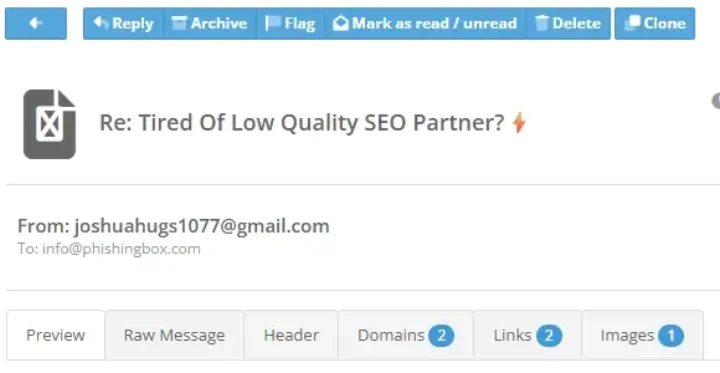
Attack replication is useful when a reported email has the right context for training: familiar branding, urgent language, convincing sender details, or a lure that is likely to reappear. Security Inbox helps turn that evidence into a safer educational moment.
Real-world phishing reports give your program fresh examples. Security Inbox helps your team turn those examples into controlled simulations that strengthen recognition, reporting, and response.
Build simulations around threats your employees are actually receiving instead of relying only on generic templates.
Use the attack pattern for training while keeping malicious links, attachments, and payloads out of the simulation.
Connect reported threats, simulation results, and user coaching into a cycle of measurable improvement.