
Cybersecurity Awareness Month 2026 Starts October 1: Your Last-Day Checklist
Cybersecurity Awareness Month 2026 begins October 1. Five things to finish today so your phishing simulations and training land on schedule all month.
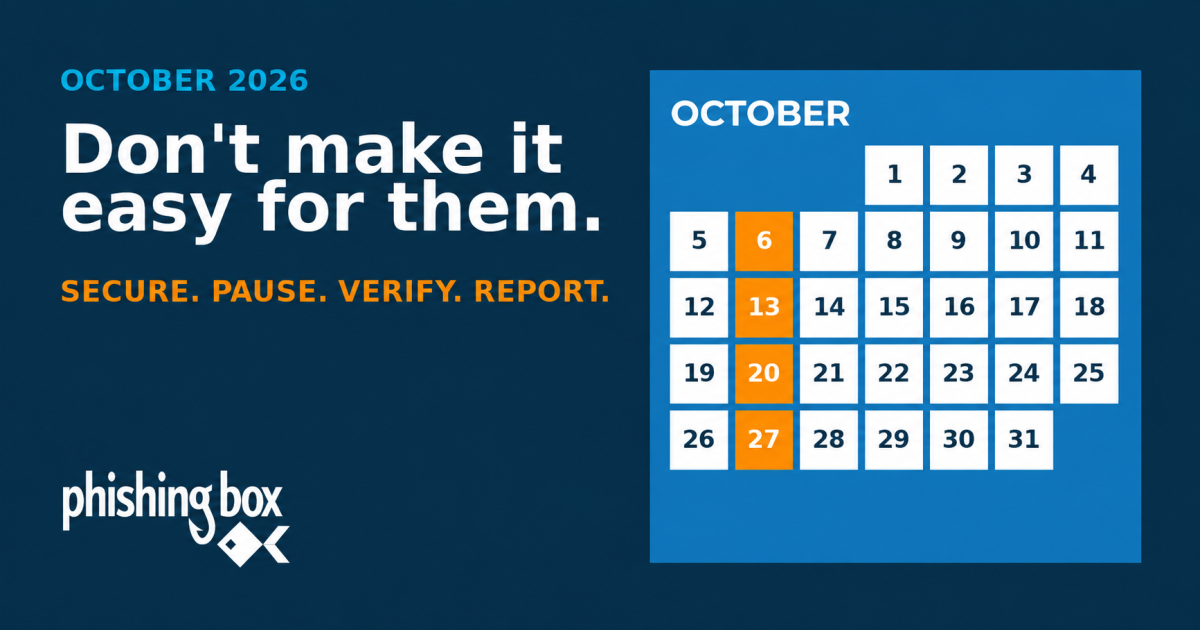
Cybersecurity Awareness Month 2026 begins October 1, and whatever cadence you pick for the month, the first training email or simulation should land in the first week. That means the campaigns have to exist before you leave the office today, whether you build them yourself or use a prebuilt blueprint. This is the short version of what to finish in the next few hours. The full seven-step plan for employee phishing training in October is already on the site; this post is the deadline reminder.
What happens tomorrow
The National Cybersecurity Alliance and CISA run the month every October, and the 2026 theme is "Don't Make It Easy for Them." The framing is deliberately modest. Nobody is asking your users to become analysts. The goal is to make the cheap attacks fail, and the cheap attacks are still the ones that work: Verizon's 2026 Data Breach Investigations Report puts the human element in 62 percent of breaches, and the FBI's 2025 Internet Crime Report logged 191,561 phishing and spoofing complaints, more than any other crime type it tracks.
The 2026 Cybersecurity Awareness Month toolkit on our downloads page has been available since August. If you already pulled it, this is the day the guide told you to act. If you have not, it takes about ten minutes to read and gives you a month of content: a guide with a dated October schedule, two workplace posters, and an internal communication template for the kickoff note.
| Piece | What it is for | When to use it |
|---|---|---|
| 2026 CAM Guide | The October schedule, the Quick Campaign setup steps, and a final checklist. | Today |
| Internal communication template | The kickoff note: what is coming, why, and how to report a suspicious message. | Oct 1 to 2 |
| "Don't Make It Easy for Them" poster | Four habits: Secure. Pause. Verify. Report. | Hang Oct 1, keep up all month |
| "Before You Act" poster | The four-signal check for any suspicious request, on any channel. | Hang Oct 1; reinforced by the Oct 20 training email |
Source: PhishingBox 2026 Cybersecurity Awareness Month toolkit.
Why the September 30 date matters
You have two ways to run the month, and the guide lays out both. The first is the 2026 Cybersecurity Awareness Month Blueprint, a Quick Campaign in the PhishingBox portal that schedules the suggested cadence for you. The second is building your own campaigns from the recommended templates and courses (or any others in the library) and choosing which emails go out on which days or weeks. The suggested cadence works as a template either way, and it looks like this: a training email on October 6 opens the month, a suspicious-login simulation lands October 13, a second training email on October 20 teaches the four-signal check, and a gift card BEC simulation on October 27 tests whether the check took. The course is due October 30, which is also the closeout and measurement day.
- Schedule everything
Two training emails, two simulations, one course enrollment. Launch the Blueprint or build your own campaigns on your own dates.
- Kickoff
Send the note, confirm the report path, hang the posters.
- Training email 1
"Don't Make It Easy: Five Security Habits."
- Simulation 1
Suspicious login attempt. Tests sign-in alert handling and reporting.
- Training email 2
"Before You Act, Inspect These Four Signals."
- Simulation 2
Executive gift card request. Tests authority pressure and verification.
- Closeout
Course due. Review completion, click rate, report rate, and time to first report.
Source: 2026 Cybersecurity Awareness Month Guide, PhishingBox toolkit. Orange markers are admin steps in every setup. Blue markers are scheduled automatically if you launch the Blueprint, or on whatever dates you choose if you build your own campaigns.
If you take the Blueprint route, everything in blue is scheduled for you, but only once the Quick Campaign exists: blueprint selected, groups chosen, starting month set to October 2026. The guide's deadline for that is today so the first Tuesday lands on time. If you build your own, the deadline is the same for a different reason. You are creating separate training email and simulation campaigns plus a course enrollment, and each needs a send date that you pick. Follow the Tuesday cadence, spread it across weeks, or match your own communication rhythm; the guide's only firm suggestion is one awareness activity per week. Either way, scheduling on October 5 does not give the first email time to land, and a campaign that starts on the 13th has already lost a third of the month's attention.
What to finish before you log off
Five items. None of them takes more than twenty minutes, and the first one is the only one that cannot slip to tomorrow.
- Schedule the campaigns. Blueprint route: Tests / Campaigns, Create Quick Campaign, Bi-Weekly, With Training, blueprint "2026 Cybersecurity Awareness Month," starting month 2026-10. Build-your-own route: create a training email campaign and a phishing simulation campaign with your chosen templates and send dates, using the "2026 Cybersecurity Awareness Month" filter in the library to find the recommended ones.
- Send or schedule the kickoff note for October 1 using the communication template. Name the report button, the address, or the person. Say that reporting a simulation counts as a win.
- Test the report path yourself. Send a message, report it, confirm it shows up where your team will see it. A month of "report quickly" messaging with a broken button is worse than no campaign.
- Create the course enrollment. The guide uses the [Micro] Social Engineering course with an October 30 due date. One course, one deadline.
- Print the two posters and pick spots where people stand still: the printer, the badge reader, the breakroom, the elevator lobby.
If you only get through the first item, October still works. The rest can be done on the morning of the first without anything landing late.
If you run awareness programs for clients rather than for one company, the same list applies per tenant, and the order is the same. The Blueprint is the faster option when you have many tenants to set up on the same afternoon; building your own per client makes sense when their calendars or lure preferences differ. Schedule every client's campaigns today, then send each of them the kickoff template with their own reporting instructions filled in. A client who hears from you on October 1 with a plan already running is a client who remembers why the line item exists at the next QBR.
The line your users need on day one
Every message you send this month should carry the same four words, and the kickoff note is where they appear first: Secure. Pause. Verify. Report. The last one matters most. Users hide mistakes because they expect punishment, and a program that treats a late report as better than no report is the one that gets told when something real gets through. Put that sentence in the note, in your own words, and mean it.
Where PhishingBox fits
- Phishing Simulations. Two routes to the same month: the 2026 CAM Blueprint is a Quick Campaign that schedules both October simulations and both training emails from one screen, and the library's "2026 Cybersecurity Awareness Month" filter surfaces the same templates if you would rather build your own campaigns on your own dates.
- Security Awareness Training. The [Micro] Social Engineering course in the blueprint is the single short module with an October 30 due date that the checklist above asks you to enroll.
- KillPhish AI. The report button item three tells you to test. One click from the inbox, with AI-assisted triage so a month of encouraged reporting does not bury your team.
- Security Inbox. Where those reports land, so you can acknowledge them quickly during the month and pull report-rate numbers on October 30.
Over 4 million users worldwide train with PhishingBox. See. Score. Secure.
Sources
- National Cybersecurity Alliance: Cybersecurity Awareness Month 2026, accessed September 30, 2026
- Verizon: 2026 Data Breach Investigations Report, 2026
- FBI Internet Crime Complaint Center: 2025 Internet Crime Report, 2026
- PhishingBox: Employee Phishing Training for Cybersecurity Awareness Month, September 2026
- PhishingBox: 2026 Cybersecurity Awareness Month Guide and Posters, September 2026